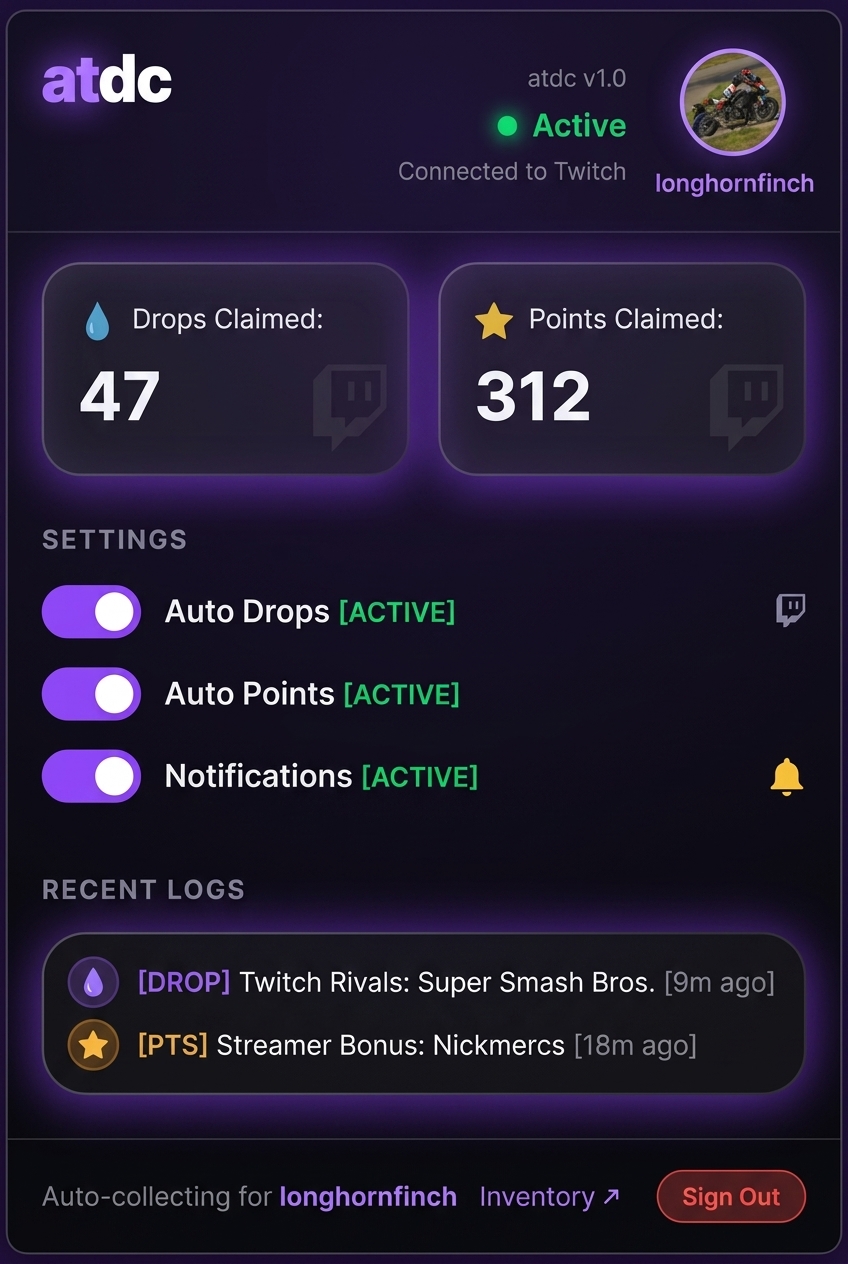
A background Chrome extension that automatically clicks claim buttons for Twitch Drops and Channel Point bonus chests while you watch streams.
atdc runs quietly in your active Twitch tabs and clicks claim prompts automatically.
Monitors stream pages for drop completion buttons and clicks them automatically as soon as they appear in the DOM.
Detects the periodic green bonus chest on active stream pages and claims the extra channel points automatically.
Opening your Twitch drops inventory page automatically checks and claims any pending rewards currently listed.
Can display brief desktop system notifications whenever a drop or bonus chest is claimed. Can be toggled in the popup.
Tracks session statistics and recent activity history directly in the toolbar popup menu.
Authenticates using Twitch's official OAuth flow. Tokens and preferences are stored exclusively in your browser's local storage.
Load the unpacked extension folder directly into Google Chrome or Chromium browsers.
Download either the stable release or beta build zip file from the links above.
Unzip the archive to a permanent directory on your computer. Chrome requires the folder to stay in place after loading.
Click the extension icon in your toolbar and select Connect with Twitch. Authorize the extension so it can inspect drop status while watching streams.
atdc operates entirely client-side within your web browser.
There is no backend server or cloud infrastructure. Authentication runs via Chrome's identity API communicating directly with official Twitch login domains.
Your OAuth access token, counters, and user preferences are kept locally via Chrome extension storage and are removed when uninstalled.
Network requests are only made to Twitch domains to validate tokens or inspect drop progress. No telemetry or analytics data is collected.
The content script uses a DOM MutationObserver to detect when claim buttons appear on active stream tabs and clicks them automatically. It also polls every 5 seconds as a fallback mechanism.
Open your Twitch drops inventory page directly. The extension will scan the inventory page and claim completed items. Note that UI updates by Twitch can occasionally affect selectors until a patch is released.
Ensure you are watching an active live broadcast (not a VOD or clip) and verify that the Channel Points setting is enabled in the extension toolbar popup.
No. The extension only automates clicking the claim buttons presented in your browser DOM while watching a stream normally.
Yes. The extension is completely free to use with no ads, tracking, or subscriptions.
Download the archive and load it into Chrome to get started.